Generate subtitles for your Danish videos

Create subtitles and text automatically with AI in 3 minutes

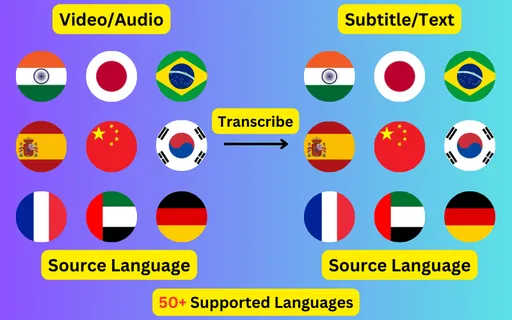
  • Transcribe audio/video to subtitles or text.
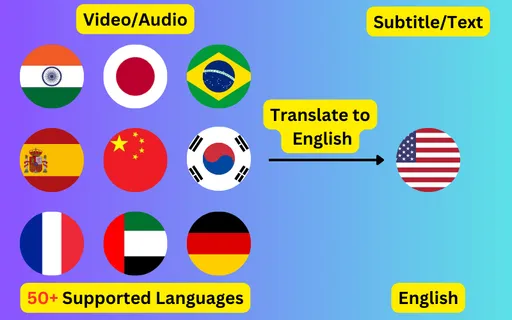
  • Translate audio/video into subtitles or text in any language.
  • 76 languages supported.
  • Save output as subtitles or plain text.
Trusted by 3000+ users.

Free: 3 files a day, up to 60 seconds each

Sign up for 5 a day

Mode:

Transcribe
Translate

Generate Danish subtitles from any video or audio file. Speech is transcribed into the Latin alphabet with word-level timings, editable before you export it as SRT, VTT or plain text.

About Danish transcription

Danish (Dansk) is written in the Latin alphabet and spoken principally in Denmark. Subtitles generated here come back in that script, as ordinary written Danish, ready to use in an SRT or VTT file.

Danish is the hardest of the Scandinavian languages to transcribe, because a great deal of what the spelling implies is not pronounced — consonants soften or disappear and vowels run together. Clear studio Danish is fine; casual conversational Danish is where accuracy drops fastest, and is worth reading through carefully.


What a Danish subtitle file looks like

Four lines as they come out of the exported SRT, in the Latin alphabet with the timings taken from the speech itself.

1
00:00:01,000 --> 00:00:03,240
Lad os starte med det første spørgsmål.

2
00:00:03,600 --> 00:00:06,120
Kan I høre mig tydeligt?

3
00:00:06,480 --> 00:00:09,300
Jeg deler detaljerne om et øjeblik.

4
00:00:09,700 --> 00:00:12,040
Det var alt for i dag.
EnglishDanish subtitle
Let's start with the first question.Lad os starte med det første spørgsmål.
Can you hear me clearly?Kan I høre mig tydeligt?
I'll share the details in a moment.Jeg deler detaljerne om et øjeblik.
That's all for today.Det var alt for i dag.

Line length in Danish

Danish welds nouns together into single long words, so a Danish subtitle line runs visually wider than its word count suggests.

Shorter subtitle blocks read better as a result, and splitting one across two events costs nothing — the timings come from the speech either way.

Getting a better Danish transcript

  • Set the language to Danish rather than leaving detection on, particularly for clips under a minute where there is little audio to judge from.
  • Upload the highest-quality audio you have; compression artefacts cost more accuracy than most people expect.
  • Check proper nouns, place names and numbers first — recognition errors concentrate there.
  • Read the transcript before exporting. Danish subtitles are editable up until you download them.

Danish subtitles in another language

The same Danish audio can produce subtitles in any of the 76 supported languages instead of in Danish itself. English is the most common target, but every pair works, and the translated file keeps the original timings so it drops onto the same video unchanged.

ByteDance logoBerkley university logoUniversity of Illinois logoAljazeera logo
Transcribe 76 languages to Subtitles or Plain Text

Transcribe

Transcribe Your Video/Audio to Subtitles Automatically.

76 Languages supported (See List)

Translate

Translate Video/Audio into Subtitles in Any Supported Language, Automatically.

76 Supported Languages (See List)

Translate 76 languages to Subtitles or Plain Text

Supports Noisy Audio

Translate or transcribe audios recorded in a noisy environment with great accuracy.

Multilingual audio

Have video where multiple speak different languages? No problem!

Support for Diverse Accents

Different people from different places speak the same language differently, our AI can work through it seamlessly.

Common questions

How accurate are automatic Danish subtitles?

Accuracy depends mostly on the recording. Clear Danish speech with little background noise transcribes well enough to publish after a read-through; heavy noise, crosstalk and strong regional accents all reduce it. The transcript is editable before export for exactly that reason.

Can I get English subtitles for a Danish video?

Yes — that is translation rather than transcription. Choose Danish as the spoken language and English as the target, and you get an English subtitle file that keeps the original timings.

What file formats do Danish subtitles come in?

SRT and VTT for timed subtitle tracks, and TXT for a plain transcript with no timecodes. All three come from the same job.

Do I need to type any Danish myself?

No. The transcript is generated from the audio in Latin. You only need to type if you decide to correct something in the editor before exporting.