Subtitle maker

Create subtitles and text automatically with AI in 3 minutes

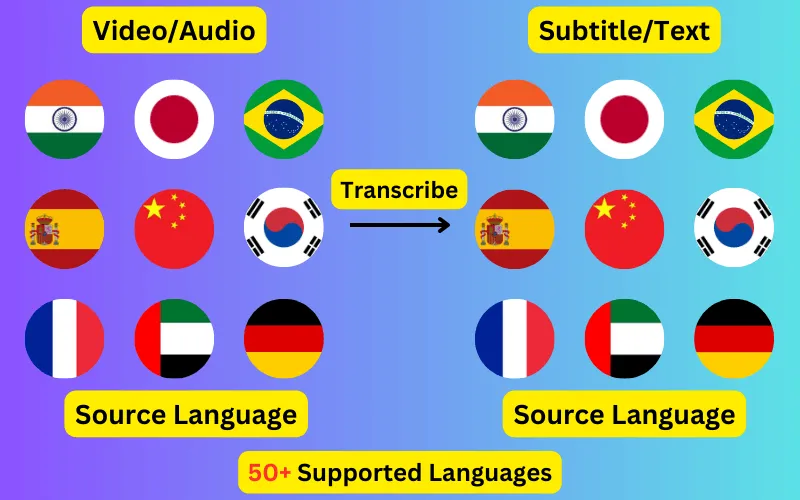
  • Transcribe audio/video to subtitles or text.
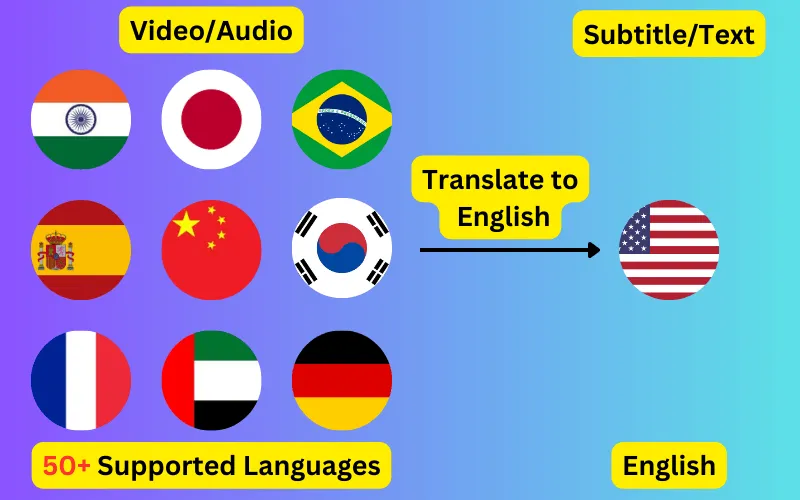
  • Translate audio/video into subtitles or text in any language.
  • 76 languages supported.
  • Save output as subtitles or plain text.
Trusted by 3000+ users.

Create an account to get started

Make a complete subtitle track for any video without typing it out or setting timings by hand. Upload, review the generated text, adjust anything that needs it, and export.

Making subtitles by hand, and why nobody does it twice

Subtitling manually means transcribing the audio, splitting it into readable blocks, and setting a start and end time for each one. For a ten-minute video that is a few hours of work, and the timing pass is the part that takes longest and ages worst — a single inserted line can push everything after it out of sync.

Automatic generation inverts the job. The transcription and the timings arrive already done, and your time goes into reviewing rather than producing. For most recordings that turns hours into a few minutes of reading.


What makes subtitles readable

Generated blocks follow these conventions by default, and the editor lets you merge or split anything that reads awkwardly for your particular material.

  • Two lines maximum per block, so the text never covers the picture.
  • Break at clause boundaries rather than mid-phrase — a subtitle that splits a noun from its verb is measurably harder to read.
  • Leave a block on screen long enough to read comfortably; roughly a second minimum, longer for denser text.
  • Keep speaker changes in separate blocks rather than combining them.

Subtitles in another language

Any recording can be turned into subtitles in any of the 76 supported languages, in either direction. The most common use is making an English subtitle track for a video in another language so it reaches a wider audience, but every pair works — the translation runs on the transcript and inherits its timings, so the subtitle appears exactly when the line was spoken.

Formats and where they go

Export as SRT for video platforms and editing software, VTT for web players, or TXT when you want a plain transcript with no timings for show notes or documentation. All three are produced from the same job.

ByteDance logoBerkley university logoUniversity of Illinois logoAljazeera logo
Transcribe 76 languages to Subtitles or Plain Text

Transcribe

Transcribe Your Video/Audio to Subtitles Automatically.

76 Languages supported (See List)

Translate

Translate Video/Audio into Subtitles in Any Supported Language, Automatically.

76 Supported Languages (See List)

Translate 76 languages to Subtitles or Plain Text

Supports Noisy Audio

Translate or transcribe audios recorded in a noisy environment with great accuracy.

Multilingual audio

Have video where multiple speak different languages? No problem!

Support for Diverse Accents

Different people from different places speak the same language differently, our AI can work through it seamlessly.

See what others say about CaptionCreator

Ok, this is fast. Transcribed a 3 hour video in 3 mins.

DaFluffyPotato profile picture

DaFluffyPotato

(Youtuber - 84.5K subscribers - 147 videos)

This is a great product. The fact that this is multilingual, it can be a game changer for content creator especially short form!

1littlecoder profile picture

1littlecoder

(Youtuber - 72.4K subscribers - 987 videos)

Translate to English feature is so cool.

From Scratch profile picture

From Scratch

(Youtuber - 65K subscribers - 2 videos)

Pay As You Need

No Subscription. Buy credits that doesn't expire.

Pay as you need

$10

100 credits
  • $10
    $200$100
    Click and drag for 50% off
  • 1 credit = 1 min of transcription/translation
  • 100credits
  • Credits don't expire
  • No audio length limit
  • Process unlimited files per day
  • Edit subtitles

30-Day Money-Back Guarantee, No Questions Asked

We provide 30-day money back guarantee. It means that you can safely buy credits and try Captioncreator for a month. If you realize that it is not for you, you can email us within 30 days to get a full refund.

Trusted By

ByteDance logoBerkley university logoUniversity of Illinois logoAljazeera logo

Contact us

hello@captioncreator.cc

Common questions

How long does it take to make subtitles for a video?

Processing usually finishes in under three minutes regardless of the length of the recording, because long files are segmented and transcribed in parallel. Your own review time depends on how much you want to correct.

Can I change the wording of the generated subtitles?

Yes. The full transcript is editable before export, including both the text and where each block starts and ends.

Do I need video editing software?

No. The output is a subtitle file you upload alongside your video on YouTube, Vimeo or a learning platform. If you want the subtitles burned permanently into the picture, you would do that in a video editor using the exported SRT.

Can I make subtitles from just an audio recording?

Yes. Audio files are supported directly, which is how most people subtitle podcasts and interviews before pairing them with video.

Frequently asked questions

Is this free?

No, CaptionCreator.cc is paid only. There's no free tier and no free credits — you buy credits as you need them, with no subscription, and they don't expire. Every account starts at 0 credits.

How many videos can I do?

The number of videos you can do depends on how many credits you have. Each credit lets you do one minute of video or audio.

How long does it take?

Any length videos can be done in under 3 minutes.

Do credits expire?

Your credits don't expire as long as you use the service at least once a year. But, if you request us to delete your account, any credits you have will be deleted too. Inactive accounts will be deleted after 365 days, along with the credits.

How do I delete my account?

Send an email from the same email you used to sign up to hello@captioncreator.cc

Is it accurate?

We use the latest AI model behind the scenes, so you get the best quality results.