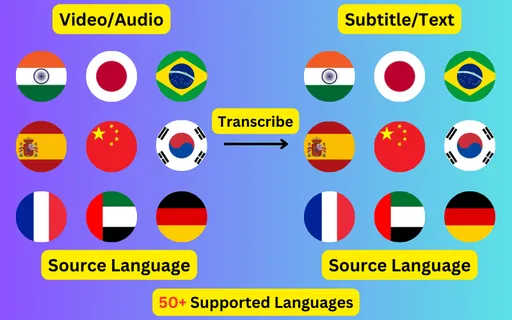
Generate Japanese subtitles from any video or audio file. Speech is transcribed into a mix of kanji, hiragana and katakana with word-level timings, editable before you export it as SRT, VTT or plain text.
About Japanese transcription
Japanese (日本語) is written in a mix of kanji, hiragana and katakana and spoken principally in Japan. Subtitles generated here come back in that script, as ordinary written Japanese, ready to use in an SRT or VTT file.
Japanese is written without spaces between words, so segmentation is part of recognition rather than something that happens afterwards — this is why word-level timings matter more here than in a space-separated language. Output mixes kanji, hiragana and katakana as normal written Japanese does.
What a Japanese subtitle file looks like
Four lines as they come out of the exported SRT, in a mix of kanji, hiragana and katakana with the timings taken from the speech itself.
Japanese is written without spaces between words, so segmentation is part of recognition rather than a tidy-up afterwards. This is why word-level timings matter more here than in a space-separated language — the boundaries are inferred, not read off the page.
Subtitle lines are worth spot-checking at their start and end, which is where those decisions land.
Register in a Japanese transcript
Japanese marks politeness grammatically, so the level a speaker uses carries real information about who they are addressing. Transcription preserves it rather than flattening everything to one register.
That makes a transcript useful as a record of how something was said, not only what was said — worth knowing before you edit it toward consistency.
Line length in Japanese
Japanese builds meaning by stacking endings onto a stem, producing few words but long ones. Lines come out dense rather than wordy.
Shorter subtitle blocks read better as a result, and splitting one across two events costs nothing — the timings come from the speech either way.
What people caption in Japanese
The Japanese material that comes through most often is business meetings and interviews, lectures and academic talks, anime and drama clips, language-learning material and YouTube and streaming content. All of it works the same way — upload the file, check the transcript, export the subtitle track.
Getting a better Japanese transcript
Set the language to Japanese rather than leaving detection on, particularly for clips under a minute where there is little audio to judge from.
Upload the highest-quality audio you have; compression artefacts cost more accuracy than most people expect.
Check proper nouns, place names and numbers first — recognition errors concentrate there.
Read the transcript before exporting. Japanese subtitles are editable up until you download them.
Japanese subtitles in another language
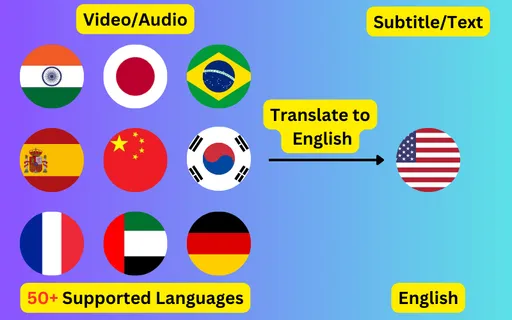
The same Japanese audio can produce subtitles in any of the 76 supported languages instead of in Japanese itself. English is the most common target, but every pair works, and the translated file keeps the original timings so it drops onto the same video unchanged.
Transcribe
Transcribe Your Video/Audio to Subtitles Automatically.
Accuracy depends mostly on the recording. Clear Japanese speech with little background noise transcribes well enough to publish after a read-through; heavy noise, crosstalk and strong regional accents all reduce it. The transcript is editable before export for exactly that reason.
Can I get English subtitles for a Japanese video?
Yes — that is translation rather than transcription. Choose Japanese as the spoken language and English as the target, and you get an English subtitle file that keeps the original timings.
What file formats do Japanese subtitles come in?
SRT and VTT for timed subtitle tracks, and TXT for a plain transcript with no timecodes. All three come from the same job.
Do I need to type any Japanese myself?
No. The transcript is generated from the audio in a mix of kanji, hiragana and katakana. You only need to type if you decide to correct something in the editor before exporting.