SRT generator

Create subtitles and text automatically with AI in 3 minutes

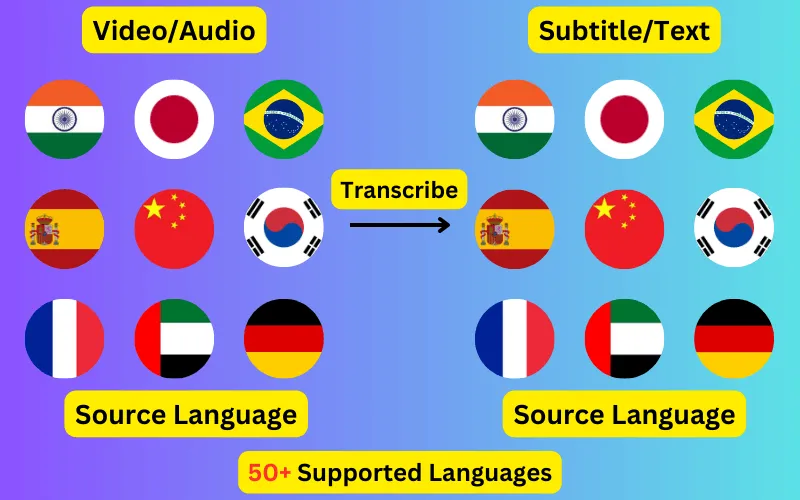
  • Transcribe audio/video to subtitles or text.
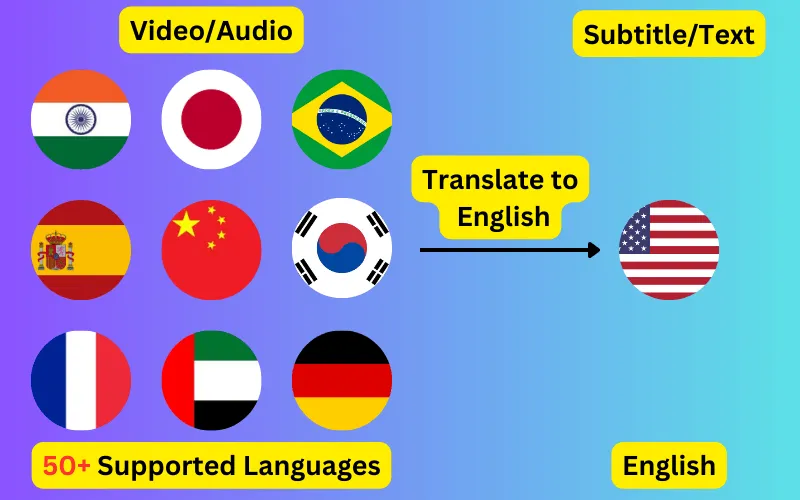
  • Translate audio/video into subtitles or text in any language.
  • 76 languages supported.
  • Save output as subtitles or plain text.
Trusted by 3000+ users.

Create an account to get started

Turn a video or audio file into a ready-to-use .srt subtitle file. Timings come from word-level speech recognition, so blocks line up with what is actually being said.

What an SRT file is

SubRip Subtitle (.srt) is the most widely supported subtitle format there is — plain text, no styling, readable in any text editor. Each entry has a sequence number, a start and end timecode in HH:MM:SS,mmm format, and one or more lines of text, separated from the next entry by a blank line.

Because it is plain text, an SRT file is easy to fix by hand after the fact, easy to version, and accepted essentially everywhere: YouTube, Vimeo, VLC, Premiere, DaVinci Resolve, Final Cut and every major LMS.


SRT or VTT?

Use SRT for video platforms, editing software and media players. Use VTT for HTML5 video on the web — the <track> element requires WebVTT, and browsers will not load an SRT file.

The two formats are closely related. VTT uses a dot rather than a comma for the millisecond separator, starts with a WEBVTT header, and supports styling and positioning that SRT does not. Both are exported from the same job here, so the choice does not have to be made up front.

Getting the timings right

Most subtitle problems are timing problems rather than transcription problems. Blocks that appear late, linger too long, or break mid-clause are far more distracting to a viewer than the occasional misheard word.

Because recognition returns a timestamp per word, block boundaries can be moved without the rest of the file drifting. If you split a long caption in the editor, both halves keep the true timings of the words they contain.

Translated SRT files

An SRT can be generated in the spoken language or translated into any of the 76 supported languages. Translation happens on the transcript, so the translated file keeps the original timings exactly — useful when you need matching subtitle tracks in several languages for the same video.

ByteDance logoBerkley university logoUniversity of Illinois logoAljazeera logo
Transcribe 76 languages to Subtitles or Plain Text

Transcribe

Transcribe Your Video/Audio to Subtitles Automatically.

76 Languages supported (See List)

Translate

Translate Video/Audio into Subtitles in Any Supported Language, Automatically.

76 Supported Languages (See List)

Translate 76 languages to Subtitles or Plain Text

Supports Noisy Audio

Translate or transcribe audios recorded in a noisy environment with great accuracy.

Multilingual audio

Have video where multiple speak different languages? No problem!

Support for Diverse Accents

Different people from different places speak the same language differently, our AI can work through it seamlessly.

See what others say about CaptionCreator

Ok, this is fast. Transcribed a 3 hour video in 3 mins.

DaFluffyPotato profile picture

DaFluffyPotato

(Youtuber - 84.5K subscribers - 147 videos)

This is a great product. The fact that this is multilingual, it can be a game changer for content creator especially short form!

1littlecoder profile picture

1littlecoder

(Youtuber - 72.4K subscribers - 987 videos)

Translate to English feature is so cool.

From Scratch profile picture

From Scratch

(Youtuber - 65K subscribers - 2 videos)

Pay As You Need

No Subscription. Buy credits that doesn't expire.

Pay as you need

$10

100 credits
  • $10
    $200$100
    Click and drag for 50% off
  • 1 credit = 1 min of transcription/translation
  • 100credits
  • Credits don't expire
  • No audio length limit
  • Process unlimited files per day
  • Edit subtitles

30-Day Money-Back Guarantee, No Questions Asked

We provide 30-day money back guarantee. It means that you can safely buy credits and try Captioncreator for a month. If you realize that it is not for you, you can email us within 30 days to get a full refund.

Trusted By

ByteDance logoBerkley university logoUniversity of Illinois logoAljazeera logo

Contact us

hello@captioncreator.cc

Common questions

How do I create an SRT file from a video?

Upload the video, choose the spoken language or let it be detected, and let it process. When the transcript appears, review it, then export as SRT. The file downloads directly to your computer.

Can I generate an SRT from an audio file?

Yes. mp3, wav, m4a and other common audio formats work the same way as video. An SRT generated from audio is often used for podcasts, which platforms increasingly accept as a transcript track.

Can I edit the SRT after generating it?

Yes, in two places. You can correct the text and adjust block boundaries in the editor before exporting, and because SRT is plain text you can also open the downloaded file in any text editor afterwards.

Is there a limit on file length?

No length limit. Cost scales with duration at one credit per minute, rounded up per file, so a 90-minute recording costs 90 credits.

Frequently asked questions

Is this free?

No, CaptionCreator.cc is paid only. There's no free tier and no free credits — you buy credits as you need them, with no subscription, and they don't expire. Every account starts at 0 credits.

How many videos can I do?

The number of videos you can do depends on how many credits you have. Each credit lets you do one minute of video or audio.

How long does it take?

Any length videos can be done in under 3 minutes.

Do credits expire?

Your credits don't expire as long as you use the service at least once a year. But, if you request us to delete your account, any credits you have will be deleted too. Inactive accounts will be deleted after 365 days, along with the credits.

How do I delete my account?

Send an email from the same email you used to sign up to hello@captioncreator.cc

Is it accurate?

We use the latest AI model behind the scenes, so you get the best quality results.