AI caption generator for video and audio

Create subtitles and text automatically with AI in 3 minutes

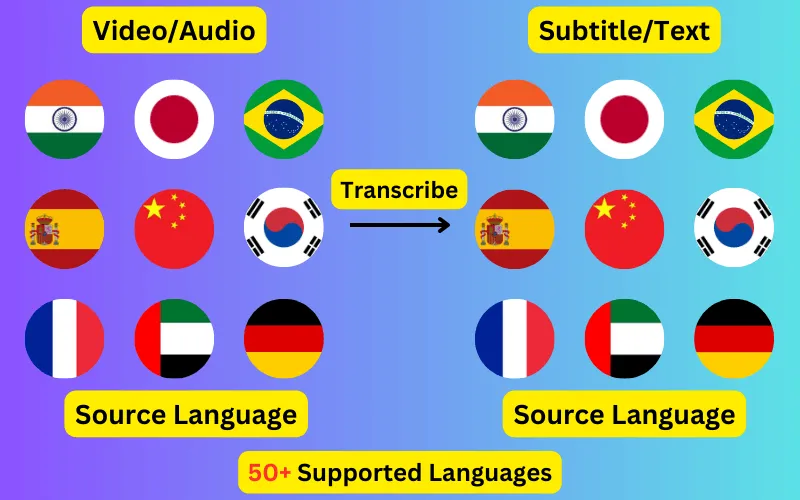
  • Transcribe audio/video to subtitles or text.
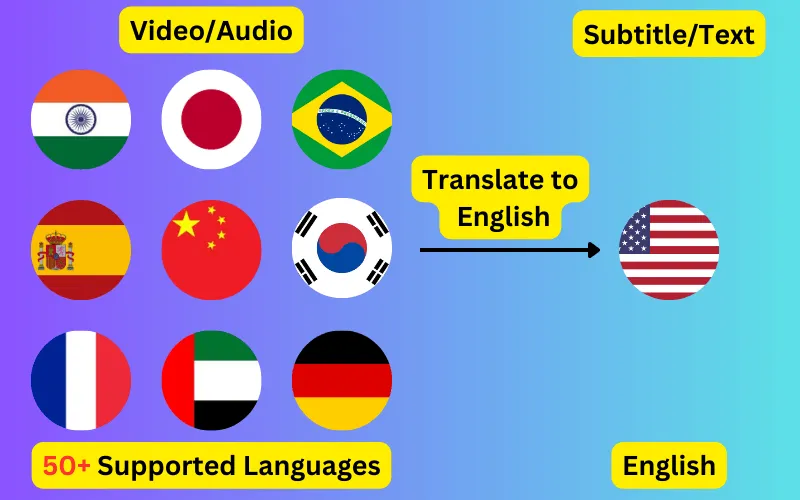
  • Translate audio/video into subtitles or text in any language.
  • 76 languages supported.
  • Save output as subtitles or plain text.
Trusted by 3000+ users.

Create an account to get started

Upload a file, pick a language, and get back a caption track with word-level timings you can edit before you export it. Most jobs finish in under three minutes regardless of how long the recording is.

What the AI actually does

Captions are generated by ElevenLabs Scribe v2, a speech recognition model trained for transcription rather than for conversation. It returns a timestamp for every individual word, not just for each caption block, which is what makes the timings line up with speech instead of drifting a second or two out over a long recording.

That word-level output is also why re-timing is cheap. When you split or merge a caption in the editor, the new block inherits real timings from the words inside it — nothing is interpolated or guessed.


Where automatic captions usually go wrong

The failure modes worth knowing about are accents, overlapping speech, background music and code-switching — a speaker moving between two languages mid-sentence. Scribe v2 handles all four noticeably better than the free auto-caption features built into video platforms, but none of them are solved problems.

This is why the editor exists and why captions are never exported automatically. Read the transcript before you publish it, especially for proper nouns, brand names and numbers, which are where recognition errors concentrate and where they are most visible to a viewer.

Captions in one language, or translated into another

Transcription keeps the spoken language. Translation takes the same audio and produces captions in any of the 76 supported languages, so a Hindi interview can become English captions, or an English webinar can become Spanish ones, in a single pass.

Translation runs on the transcript rather than on the audio, so timings are preserved exactly — the translated caption appears at the moment the original words were spoken.

What it costs

Credits cost $10 for 100, one credit per minute of audio or video, rounded up to the next whole minute per file. A 12-minute podcast episode costs 12 credits. There is no subscription, credits do not expire while the account stays active, and there is no free tier — every account starts at zero.

ByteDance logoBerkley university logoUniversity of Illinois logoAljazeera logo
Transcribe 76 languages to Subtitles or Plain Text

Transcribe

Transcribe Your Video/Audio to Subtitles Automatically.

76 Languages supported (See List)

Translate

Translate Video/Audio into Subtitles in Any Supported Language, Automatically.

76 Supported Languages (See List)

Translate 76 languages to Subtitles or Plain Text

Supports Noisy Audio

Translate or transcribe audios recorded in a noisy environment with great accuracy.

Multilingual audio

Have video where multiple speak different languages? No problem!

Support for Diverse Accents

Different people from different places speak the same language differently, our AI can work through it seamlessly.

See what others say about CaptionCreator

Ok, this is fast. Transcribed a 3 hour video in 3 mins.

DaFluffyPotato profile picture

DaFluffyPotato

(Youtuber - 84.5K subscribers - 147 videos)

This is a great product. The fact that this is multilingual, it can be a game changer for content creator especially short form!

1littlecoder profile picture

1littlecoder

(Youtuber - 72.4K subscribers - 987 videos)

Translate to English feature is so cool.

From Scratch profile picture

From Scratch

(Youtuber - 65K subscribers - 2 videos)

Pay As You Need

No Subscription. Buy credits that doesn't expire.

Pay as you need

$10

100 credits
  • $10
    $200$100
    Click and drag for 50% off
  • 1 credit = 1 min of transcription/translation
  • 100credits
  • Credits don't expire
  • No audio length limit
  • Process unlimited files per day
  • Edit subtitles

30-Day Money-Back Guarantee, No Questions Asked

We provide 30-day money back guarantee. It means that you can safely buy credits and try Captioncreator for a month. If you realize that it is not for you, you can email us within 30 days to get a full refund.

Trusted By

ByteDance logoBerkley university logoUniversity of Illinois logoAljazeera logo

Contact us

hello@captioncreator.cc

Common questions

How accurate is the AI caption generator?

Accuracy depends mostly on audio quality. Clear single-speaker recordings in a well-supported language are typically accurate enough to publish after a quick read-through. Heavy background noise, crosstalk and strong regional accents all reduce it, which is why every transcript is editable before export.

Can I generate captions without a video file?

Yes. Audio-only files work exactly the same way — mp3, wav, m4a and similar. If you only need the words rather than a timed caption track, export as TXT instead of SRT or VTT.

Does it add a watermark?

No. The output is a caption file — SRT, VTT or TXT — not a rendered video, so there is nothing to watermark. The file is yours to use however you like.

Is there a free trial?

No. CaptionCreator is paid only and every account starts with zero credits. The smallest purchase is $10 for 100 credits, which is 100 minutes of audio, and unused credits do not expire.

Frequently asked questions

Is this free?

No, CaptionCreator.cc is paid only. There's no free tier and no free credits — you buy credits as you need them, with no subscription, and they don't expire. Every account starts at 0 credits.

How many videos can I do?

The number of videos you can do depends on how many credits you have. Each credit lets you do one minute of video or audio.

How long does it take?

Any length videos can be done in under 3 minutes.

Do credits expire?

Your credits don't expire as long as you use the service at least once a year. But, if you request us to delete your account, any credits you have will be deleted too. Inactive accounts will be deleted after 365 days, along with the credits.

How do I delete my account?

Send an email from the same email you used to sign up to hello@captioncreator.cc

Is it accurate?

We use the latest AI model behind the scenes, so you get the best quality results.