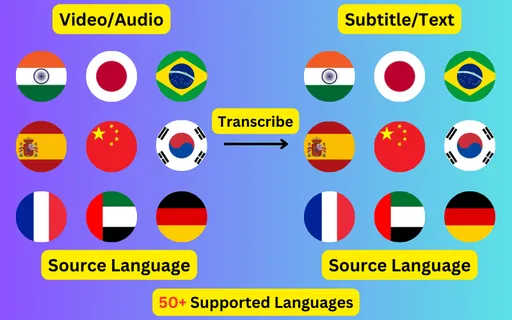
Transcribe audio to text automatically

Create subtitles and text automatically with AI in 3 minutes

  • Transcribe audio/video to subtitles or text.
  • Translate audio/video into subtitles or text in any language.
  • 76 languages supported.
  • Save output as subtitles or plain text.
Trusted by 3000+ users.

Free: one 60-second file a day

Sign up for 3 a day

Mode:

Transcribe
Translate

Turn a recording into a document you can read, search and quote from. Audio goes in, text comes out — with timecodes if you want them and without if you do not.

Audio-only recordings are a harder case than video

There is no picture to fall back on, which matters more than it sounds. A listener resolves an unclear word from a speaker's mouth or a slide behind them; a recogniser working from a phone recording of a meeting has only the waveform. Room echo, a microphone on a table between four people, and two speakers talking over each other are the three things that cost the most accuracy.

None of that is fatal — it is why the transcript is editable before you export it. But it is worth knowing which recordings will need a read-through and which will not.


What comes back, and in which format

A plain TXT transcript is usually what you want from audio: continuous text, no timecodes, ready to paste into notes or a document. SRT and VTT come from the same job if you need timings — for a podcast player that shows a synchronised transcript, or to line the text up against the original recording.

  • TXT — continuous text with no timecodes, for reading, searching and quoting.
  • SRT — numbered cues with start and end times, the format most players and platforms accept.
  • VTT — the web-native equivalent, used by HTML5 audio and video players.

Audio formats accepted

MP3, WAV, M4A, AAC, FLAC, ALAC, OGG, Opus, WMA, AC3, DTS and MKA, up to 2 GB per file. Compressed formats work, but a heavily compressed MP3 loses detail the recogniser needs — if you have the original WAV or FLAC, use that instead of a re-encoded copy.

What people transcribe

  • Podcast episodes, for show notes, search and repurposing into written posts.
  • Interviews and research calls, where a searchable record matters more than a subtitle track.
  • Lecture and seminar recordings, turned into revision notes.
  • Voice memos and dictated drafts.
  • Radio and archive material being catalogued.
ByteDance logoBerkley university logoUniversity of Illinois logoAljazeera logo
Transcribe 76 languages to Subtitles or Plain Text

Transcribe

Transcribe Your Video/Audio to Subtitles Automatically.

76 Languages supported (See List)

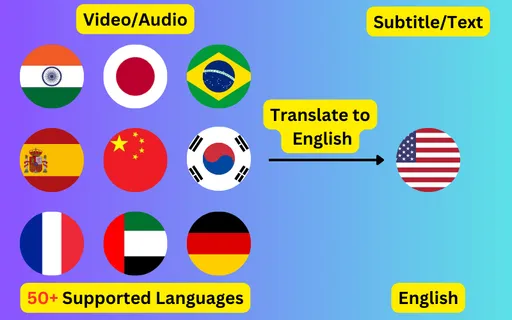
Translate

Translate Video/Audio into Subtitles in Any Supported Language, Automatically.

76 Supported Languages (See List)

Translate 76 languages to Subtitles or Plain Text

Supports Noisy Audio

Translate or transcribe audios recorded in a noisy environment with great accuracy.

Multilingual audio

Have video where multiple speak different languages? No problem!

Support for Diverse Accents

Different people from different places speak the same language differently, our AI can work through it seamlessly.

Common questions

Can I transcribe audio without an account?

Yes. One file up to 60 seconds a day works without signing up. With an account that becomes 3 a day, and anything longer runs on credits.

Does it separate different speakers?

The transcript follows the recording as one continuous stream rather than labelling who spoke. On a two-person interview the turn-taking is usually obvious from the content, and the transcript is editable if you want to add labels before exporting.

What is the difference between this and the video page?

Only the input. The same engine handles both, but audio-only files have no picture to caption, so a plain TXT transcript is normally the useful output rather than a subtitle track. If your file has video, start from the transcribe video to text page.

How long can the audio be?

Up to 2 GB per file. Cost is one credit per minute, rounded up, and credits are $10 for 100 and expire 365 days after purchase.