Closed caption generator

Create subtitles and text automatically with AI in 3 minutes

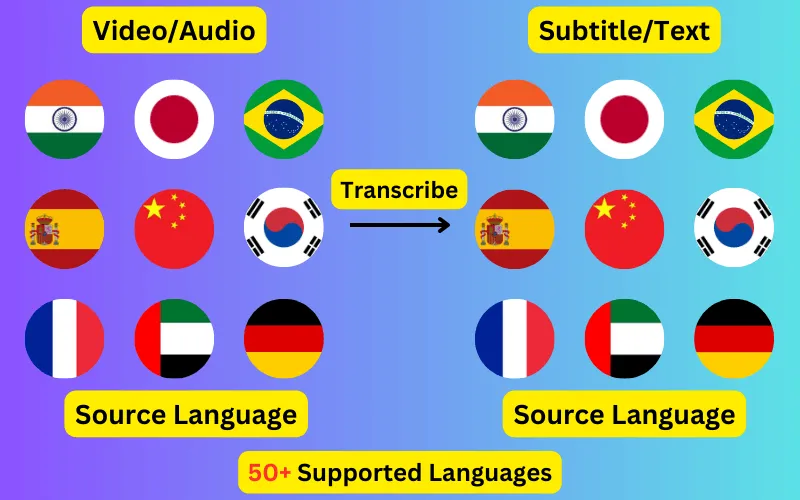
  • Transcribe audio/video to subtitles or text.
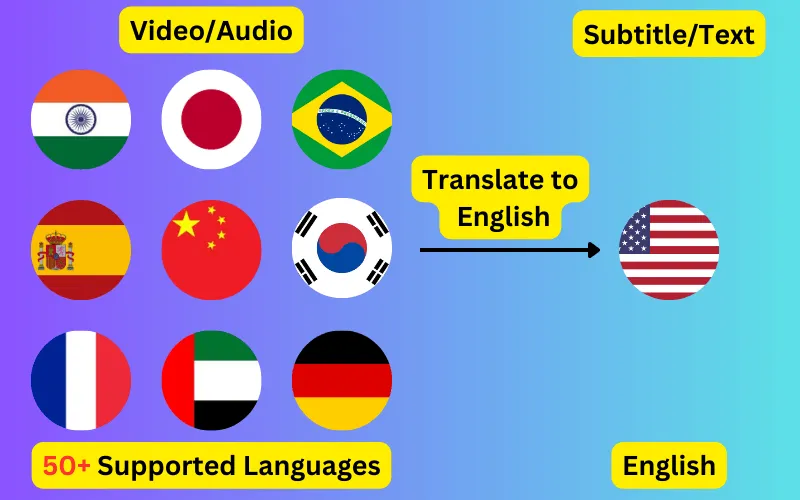
  • Translate audio/video into subtitles or text in any language.
  • 76 languages supported.
  • Save output as subtitles or plain text.
Trusted by 3000+ users.

Create an account to get started

Create a closed caption file for any video or audio in under three minutes. Export as SRT or VTT and upload it alongside your video, so viewers can switch captions on and off.

Closed captions, subtitles and open captions

The three get used interchangeably, but they are not the same thing. Closed captions (CC) are a separate file the viewer can turn on or off, and they transcribe the language actually being spoken. Subtitles usually mean a translation into a different language. Open captions are burned permanently into the video image and cannot be switched off.

This tool produces the first two: a separate, switchable caption file, either in the spoken language or translated. It does not burn captions into video, which is deliberate — a separate file stays editable, is read by search engines, and can be swapped without re-encoding.


Why closed captions matter beyond accessibility

Accessibility is the obvious reason, and in many contexts a legal one: WCAG 2.1 Level AA requires captions for prerecorded audio content, and public-sector and education bodies in a number of jurisdictions are held to it.

The less-discussed reason is reach. A large share of social video is watched with sound off, and caption files are machine-readable in a way that speech is not — platforms index caption text, which makes a captioned video findable by what was said in it.

Which format to upload where

All three come from the same job at no extra cost. Generate once, export whichever you need, or all of them.

  • YouTube, Vimeo and most LMS platforms accept SRT — use this unless you have a reason not to.
  • HTML5 <track> elements and web players require VTT (WebVTT).
  • TXT is a plain transcript with no timings, for show notes, blog posts or documentation.

Editing before you publish

Captions are shown in an editor with the audio, so you can correct recognition errors and adjust block boundaries before exporting. Names, technical terms and numbers are worth a specific check — they are where automatic recognition is weakest and where an error is most obvious to a viewer.

ByteDance logoBerkley university logoUniversity of Illinois logoAljazeera logo
Transcribe 76 languages to Subtitles or Plain Text

Transcribe

Transcribe Your Video/Audio to Subtitles Automatically.

76 Languages supported (See List)

Translate

Translate Video/Audio into Subtitles in Any Supported Language, Automatically.

76 Supported Languages (See List)

Translate 76 languages to Subtitles or Plain Text

Supports Noisy Audio

Translate or transcribe audios recorded in a noisy environment with great accuracy.

Multilingual audio

Have video where multiple speak different languages? No problem!

Support for Diverse Accents

Different people from different places speak the same language differently, our AI can work through it seamlessly.

See what others say about CaptionCreator

Ok, this is fast. Transcribed a 3 hour video in 3 mins.

DaFluffyPotato profile picture

DaFluffyPotato

(Youtuber - 84.5K subscribers - 147 videos)

This is a great product. The fact that this is multilingual, it can be a game changer for content creator especially short form!

1littlecoder profile picture

1littlecoder

(Youtuber - 72.4K subscribers - 987 videos)

Translate to English feature is so cool.

From Scratch profile picture

From Scratch

(Youtuber - 65K subscribers - 2 videos)

Pay As You Need

No Subscription. Buy credits that doesn't expire.

Pay as you need

$10

100 credits
  • $10
    $200$100
    Click and drag for 50% off
  • 1 credit = 1 min of transcription/translation
  • 100credits
  • Credits don't expire
  • No audio length limit
  • Process unlimited files per day
  • Edit subtitles

30-Day Money-Back Guarantee, No Questions Asked

We provide 30-day money back guarantee. It means that you can safely buy credits and try Captioncreator for a month. If you realize that it is not for you, you can email us within 30 days to get a full refund.

Trusted By

ByteDance logoBerkley university logoUniversity of Illinois logoAljazeera logo

Contact us

hello@captioncreator.cc

Common questions

What is the difference between CC and subtitles?

Closed captions transcribe the spoken language of the video and are intended for viewers who cannot hear the audio. Subtitles are normally a translation for viewers who cannot understand the language. This tool does both: transcription keeps the original language, translation produces subtitles in another.

What format are the closed caption files?

SRT (SubRip) and VTT (WebVTT), plus a plain TXT transcript. SRT is accepted by YouTube, Vimeo and most learning platforms; VTT is the format HTML5 video players expect.

Can I upload the CC file straight to YouTube?

Yes. Export as SRT and add it under Subtitles in YouTube Studio. YouTube will use your file instead of its own automatic captions, which is generally more accurate and gives you control over the wording.

Do closed captions need to be word-for-word?

For accessibility compliance they should closely reflect what was said, including meaningful non-speech audio where relevant. The generated transcript is verbatim by default, and you can edit it before export if you need to tidy filler words.

Frequently asked questions

Is this free?

No, CaptionCreator.cc is paid only. There's no free tier and no free credits — you buy credits as you need them, with no subscription, and they don't expire. Every account starts at 0 credits.

How many videos can I do?

The number of videos you can do depends on how many credits you have. Each credit lets you do one minute of video or audio.

How long does it take?

Any length videos can be done in under 3 minutes.

Do credits expire?

Your credits don't expire as long as you use the service at least once a year. But, if you request us to delete your account, any credits you have will be deleted too. Inactive accounts will be deleted after 365 days, along with the credits.

How do I delete my account?

Send an email from the same email you used to sign up to hello@captioncreator.cc

Is it accurate?

We use the latest AI model behind the scenes, so you get the best quality results.