Generate Vietnamese subtitles for your English videos

Create subtitles and text automatically with AI in 3 minutes

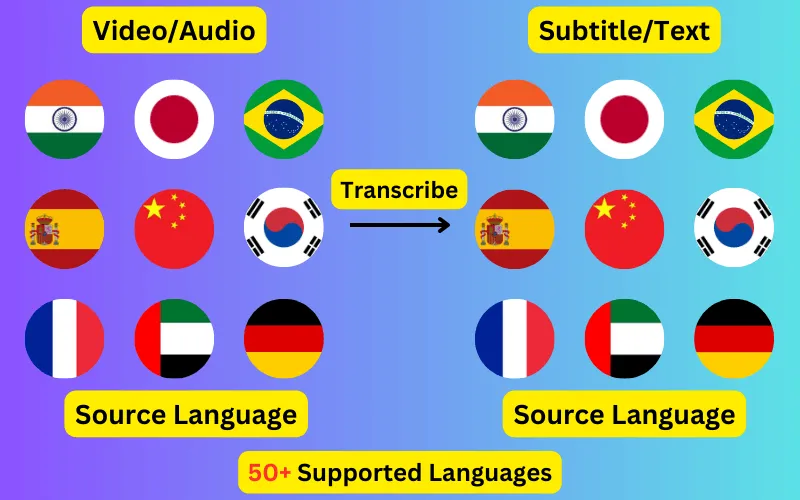
  • Transcribe audio/video to subtitles or text.
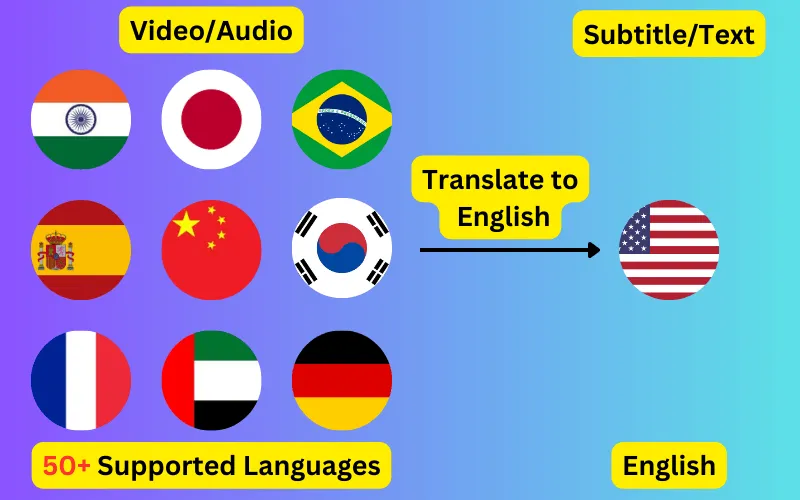
  • Translate audio/video into subtitles or text in any language.
  • 76 languages supported.
  • Save output as subtitles or plain text.
Trusted by 3000+ users.

Free: one 60-second file a day

Sign up for 3 a day

Mode:

Transcribe
Translate

Turn English video or audio into Vietnamese subtitles, exported as SRT, VTT or plain text with the original timings intact. The file comes out in Latin with tone diacritics rather than the the Latin alphabet of the audio.

From the Latin alphabet to Latin with tone diacritics

English is written in the Latin alphabet and Vietnamese in Latin with tone diacritics, so the exported file uses a different writing system from the audio that produced it. The subtitle formats handle that — SRT and VTT are plain text and carry any script — but the font in whatever plays the file has to cover it.

This is the most common reason a Vietnamese subtitle track looks correct in an editor and shows boxes or blanks on a device. Test on the target platform before you publish a batch.


How English audio becomes Vietnamese subtitles

Audio in English (English) is transcribed first, then translated into Vietnamese (Tiếng Việt). Because the translation runs on the transcript rather than on the audio, the Vietnamese subtitle file keeps the timings of the original English speech — each line appears at the moment it was actually said.

Vietnamese diacritics are part of the word

Vietnamese uses marks above and below its letters that change which word it is rather than only how it sounds. Stripping them, as some older subtitle tooling and a few upload pipelines still do, produces text that is wrong rather than merely plain.

Open the exported file once and confirm the marks survived before you rely on a workflow. If they did not, the problem is almost always an encoding setting rather than the Vietnamese text itself.

Why translate English video into Vietnamese

English is spoken principally in worldwide; Vietnamese in Vietnam. A Vietnamese subtitle track is what lets one recording reach both audiences without re-recording, re-editing or dubbing it.

Because subtitles are a separate file rather than part of the picture, you can attach several language tracks to the same video and let viewers pick.

About the English audio

English has a wider spread of accents than any other language here, and the gap between spelling and pronunciation means recognition leans on context rather than sound alone. Names and technical terms are where errors concentrate, because those are exactly the words context cannot predict.

About the Vietnamese subtitles

Vietnamese uses the Latin alphabet with a dense set of tone and vowel diacritics, and those marks are not decorative — dropping them changes the word. The transcript keeps them, so check that whatever you load the subtitle file into handles the full character set.

What an English to Vietnamese subtitle file looks like

Four lines of English speech, transcribed and translated, as they come out of the exported SRT. The timings are the English speaker's — translation does not move them, which is why the file drops onto the original video unchanged.

1
00:00:01,000 --> 00:00:03,240
Hãy bắt đầu với câu hỏi đầu tiên.

2
00:00:03,600 --> 00:00:06,120
Mọi người nghe tôi rõ không?

3
00:00:06,480 --> 00:00:09,300
Tôi sẽ chia sẻ chi tiết trong giây lát.

4
00:00:09,700 --> 00:00:12,040
Hôm nay đến đây thôi.
EnglishVietnamese subtitle
Let's start with the first question.Hãy bắt đầu với câu hỏi đầu tiên.
Can you hear me clearly?Mọi người nghe tôi rõ không?
I'll share the details in a moment.Tôi sẽ chia sẻ chi tiết trong giây lát.
That's all for today.Hôm nay đến đây thôi.

What to check before publishing

  • Names and places, which translation handles less reliably than ordinary prose.
  • Idiom — a phrase that is natural in English may need loosening to read well in Vietnamese.
  • That Latin with tone diacritics renders in your player, not just in the editor you exported from.
  • That Vietnamese diacritics survived the export — they change the word, not just its pronunciation.
  • Timing on fast exchanges, where two speakers overlap.
ByteDance logoBerkley university logoUniversity of Illinois logoAljazeera logo
Transcribe 76 languages to Subtitles or Plain Text

Transcribe

Transcribe Your Video/Audio to Subtitles Automatically.

76 Languages supported (See List)

Translate

Translate Video/Audio into Subtitles in Any Supported Language, Automatically.

76 Supported Languages (See List)

Translate 76 languages to Subtitles or Plain Text

Supports Noisy Audio

Translate or transcribe audios recorded in a noisy environment with great accuracy.

Multilingual audio

Have video where multiple speak different languages? No problem!

Support for Diverse Accents

Different people from different places speak the same language differently, our AI can work through it seamlessly.

Common questions

Will Vietnamese display correctly in my player?

Almost always, but it depends on the font rather than the file — SRT and VTT are plain text and carry Latin with tone diacritics without difficulty. If you see empty boxes, the player is missing a font for the script, not reading the subtitles wrongly.

How do I add Vietnamese subtitles to a English video?

Upload the video, set the spoken language to English and the subtitle language to Vietnamese, then export the result as SRT and upload it alongside your video. Nothing is burned into the picture, so the subtitles stay switchable.

Does the Vietnamese subtitle file stay in sync?

Yes. Translation happens on the transcript, so every Vietnamese line inherits the timing of the English words it came from. The file will sync with the same video without adjustment.

Can I get the English transcript as well?

Yes. Transcribing English into English subtitles is a separate job on the same recording, and gives you the original-language track alongside the Vietnamese one.