Generate English subtitles for your Nepali videos

Create subtitles and text automatically with AI in 3 minutes

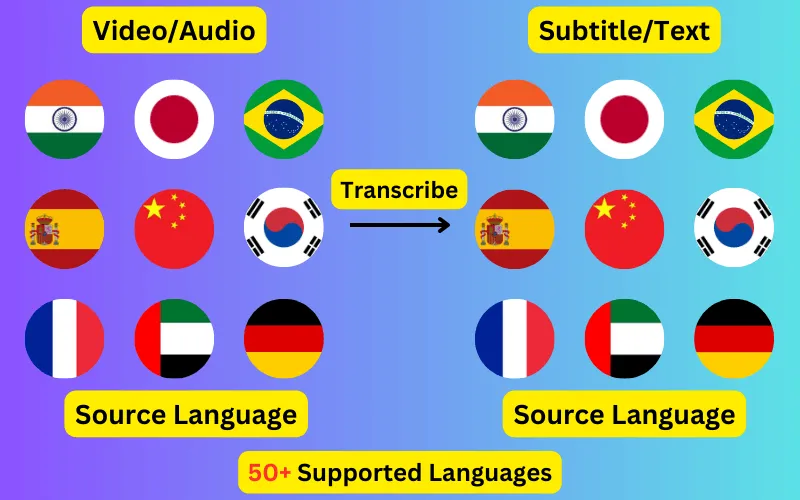
  • Transcribe audio/video to subtitles or text.
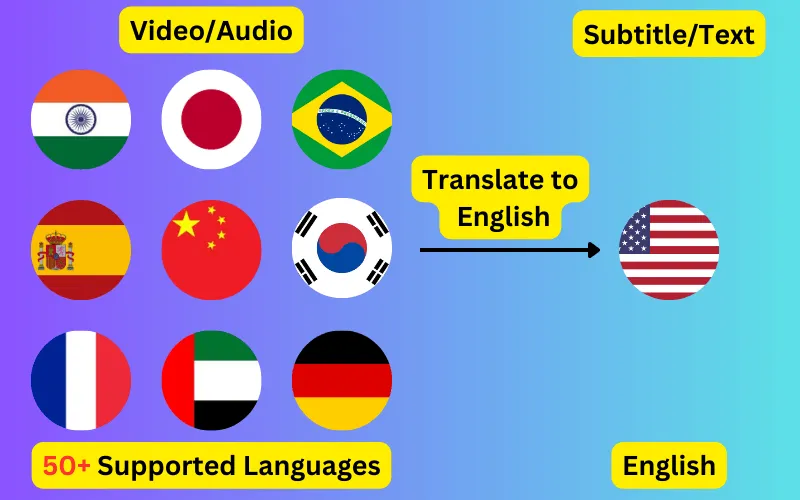
  • Translate audio/video into subtitles or text in any language.
  • 76 languages supported.
  • Save output as subtitles or plain text.
Trusted by 3000+ users.

Create an account to get started

Turn Nepali video or audio into English subtitles. The speech is transcribed, then translated into English, and exported as SRT, VTT or plain text with the original timings intact.

Translating Nepali speech into English subtitles

Audio in Nepali (नेपाली) is transcribed first, then translated into English (English). Because the translation runs on the transcript rather than on the audio, the English subtitle file keeps the timings of the original Nepali speech — each line appears at the moment it was actually said.

Nepali is written in Devanagari and English in the Latin alphabet, so the exported file will be in a different script from the audio you uploaded.

Why translate Nepali video into English

Nepali is spoken principally in Nepal, and Nepali-speaking communities in India and Bhutan; English in worldwide. A English subtitle track is what lets one recording reach both audiences without re-recording, re-editing or dubbing it.

Because subtitles are a separate file rather than part of the picture, you can attach several language tracks to the same video and let viewers pick.

What to check before publishing

  • Names and places, which translation tends to handle less reliably than ordinary prose.
  • Idiom — a phrase that is natural in Nepali may need loosening to read well in English.
  • Line length, since English may be considerably more or less compact than Nepali for the same sentence.
  • Timing on fast exchanges, where two speakers overlap.

About the Nepali audio

Nepali is written in Devanagari and shares much of its vocabulary with Hindi, which makes automatic language detection unreliable between the two. Selecting Nepali explicitly is worth the extra click on anything short, where there is less audio for detection to work from.

ByteDance logoBerkley university logoUniversity of Illinois logoAljazeera logo
Transcribe 76 languages to Subtitles or Plain Text

Transcribe

Transcribe Your Video/Audio to Subtitles Automatically.

76 Languages supported (See List)

Translate

Translate Video/Audio into Subtitles in Any Supported Language, Automatically.

76 Supported Languages (See List)

Translate 76 languages to Subtitles or Plain Text

Supports Noisy Audio

Translate or transcribe audios recorded in a noisy environment with great accuracy.

Multilingual audio

Have video where multiple speak different languages? No problem!

Support for Diverse Accents

Different people from different places speak the same language differently, our AI can work through it seamlessly.

See what others say about CaptionCreator

Ok, this is fast. Transcribed a 3 hour video in 3 mins.

DaFluffyPotato profile picture

DaFluffyPotato

(Youtuber - 84.5K subscribers - 147 videos)

This is a great product. The fact that this is multilingual, it can be a game changer for content creator especially short form!

1littlecoder profile picture

1littlecoder

(Youtuber - 72.4K subscribers - 987 videos)

Translate to English feature is so cool.

From Scratch profile picture

From Scratch

(Youtuber - 65K subscribers - 2 videos)

Pay As You Need

No Subscription. Buy credits that doesn't expire.

Pay as you need

$10

100 credits
  • $10
    $200$100
    Click and drag for 50% off
  • 1 credit = 1 min of transcription/translation
  • 100credits
  • Credits don't expire
  • No audio length limit
  • Process unlimited files per day
  • Edit subtitles

30-Day Money-Back Guarantee, No Questions Asked

We provide 30-day money back guarantee. It means that you can safely buy credits and try Captioncreator for a month. If you realize that it is not for you, you can email us within 30 days to get a full refund.

Trusted By

ByteDance logoBerkley university logoUniversity of Illinois logoAljazeera logo

Contact us

hello@captioncreator.cc

Common questions

How do I add English subtitles to a Nepali video?

Upload the video, set the spoken language to Nepali and the subtitle language to English, then export the result as SRT and upload it alongside your video. Nothing is burned into the picture, so the subtitles stay switchable.

Does the English subtitle file stay in sync?

Yes. Translation happens on the transcript, so every English line inherits the timing of the Nepali words it came from. The file will sync with the same video without adjustment.

Can I get the Nepali transcript as well?

Yes. Transcribing Nepali into Nepali subtitles is a separate job on the same recording, and gives you the original-language track alongside the English one.

What does a Nepali to English subtitle job cost?

One credit per minute of the recording, rounded up, whether you transcribe or translate. Credits are $10 for 100 and do not expire.

Frequently asked questions

Is this free?

No, CaptionCreator.cc is paid only. There's no free tier and no free credits — you buy credits as you need them, with no subscription, and they don't expire. Every account starts at 0 credits.

How many videos can I do?

The number of videos you can do depends on how many credits you have. Each credit lets you do one minute of video or audio.

How long does it take?

Any length videos can be done in under 3 minutes.

Do credits expire?

Your credits don't expire as long as you use the service at least once a year. But, if you request us to delete your account, any credits you have will be deleted too. Inactive accounts will be deleted after 365 days, along with the credits.

How do I delete my account?

Send an email from the same email you used to sign up to hello@captioncreator.cc

Is it accurate?

We use the latest AI model behind the scenes, so you get the best quality results.